 USB4Car
The best USB stick for car music
Here's a secret the memory-stick aisle won't tell you: for car music, almost any name-brand stick is good enough — and an expensive one set up wrong loses to a cheap one set up right. That said, size, shape and vintage of your car do narrow the smart choice. Here's what actually matters.
Guide checked and updated July 2026
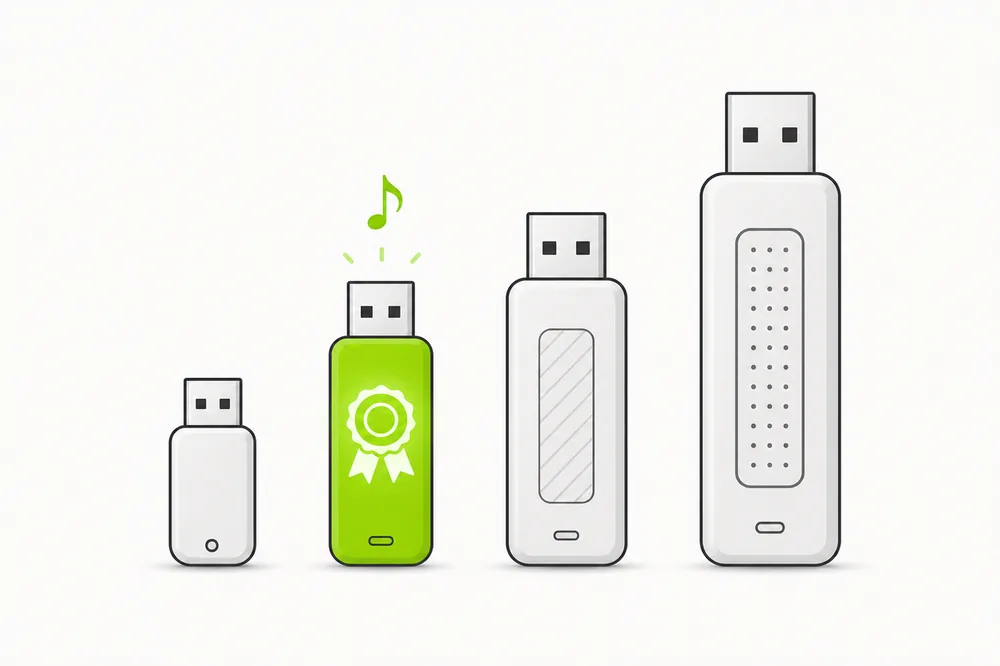
A name-brand 32 GB USB stick is the best choice for car music — big enough for roughly 4,000 MP3s, small enough to format as FAT32 without tricks, and readable by effectively every car radio ever made. Low-profile sticks that barely stick out of the port are ideal in daily use. Spend the leftover money on music.
USB stick sizes for car music, compared
Capacity is the decision that matters most, because it interacts with your radio's limits:
Radios also cap file counts (a few thousand tracks is a common indexing limit), so a giant stick often can't be used fully even when it's detected. Two 32 GB sticks — one per mood — beat one 256 GB stick in practice.
What matters when choosing — and what doesn't
Five factors, honestly ranked:
1. Size: 32 GB is the universal sweet spot
Why it happens: It's the largest capacity that formats as FAT32 out of the box on Windows, the largest many older radios accept, and it still holds ~4,000 songs — more than most people's driving rotation.
✓ The fix: Buy 32 GB unless your car is 2019+ and you've confirmed it reads exFAT — then 64 or 128 GB is fine too.
2. Shape: low-profile beats long
Why it happens: A stick that protrudes gets hit by knees, bags and car washes — bent sticks and damaged ports are a real failure mode. “Fit” style sticks sit nearly flush and disappear into the dash.
✓ The fix: Pick a low-profile / mini stick for a stick that lives in the car permanently. Skip caps and swivels — they rattle and get lost.
3. Brand: pay the extra dollar
Why it happens: No-name sticks fail early, lie about capacity, and corrupt files in heat — and a car interior hits 60 °C+ in summer. Established brands handle temperature swings far better.
✓ The fix: SanDisk, Samsung, Kingston, Verbatim — any of them. The price difference is a coffee.
4. USB 2.0 vs 3.0: matters less than you'd think
Why it happens: Car radios read audio at a trickle — even USB 2.0 is dozens of times faster than needed. Speed only matters when you load the stick from the computer.
✓ The fix: USB 3.0 makes the initial copy pleasant (minutes instead of tens of minutes) and costs barely more. Nice to have, not required. Some radios are also picky about certain USB 3.0 sticks — if one is ignored, a plain 2.0 stick is the classic workaround.
5. What doesn't matter: “music edition” anything
Why it happens: Sticks marketed for cars or music are ordinary sticks with a music note printed on them, often at a premium. Pre-loaded “music USB” sticks from marketplaces are usually pirated files with broken tags.
✓ The fix: Buy a normal stick from a normal brand and load your own music. The setup — format, files, folders — is what makes it a car music stick.
The setup matters more than the stick.
Whatever stick you buy, USB4Car turns it into the perfect car music stick: FAT32, MBR, MP3s the radio can play, clean folders, verified copy. One button, any stick, over 9,000 car models.
From new stick to car-ready, step by step
You bought a stick — here's the five-minute setup:
- Unwrap and plug it into the computer. Ignore any preloaded “backup” software — you can delete it.
- Format as FAT32: right-click the drive → Format → FAT32 → Start. (This is also why 32 GB is easy mode — bigger sticks need USB4Car or a third-party tool for FAT32.)
- Copy your music over as MP3s in Artist → Album folders.
- Safely eject, plug into the car's media port, select USB as source.
- Leave it in the car. That's the whole point — your music, always there, no phone required.
Or make any stick car-ready in one click.
USB4Car checks the stick you plug in, tells you if it's unsuitable, and prepares it exactly for your car — including the FAT32-over-32 GB case Windows can't do on its own.
Free trial shows every problem it would fix — no payment needed.
Related questions
What is the best USB stick for music in the car?
A name-brand 32 GB low-profile stick — SanDisk, Samsung, Kingston or similar. It works in effectively every car, holds around 4,000 songs, formats as FAT32 without tools, and costs under ten dollars. Bigger only helps in cars from ~2019 on.
How many songs fit on a 32 GB USB stick?
Around 4,000 songs at 320 kbps MP3 (high quality), or roughly 8,000 at 128 kbps. In albums: about 300-400. For most drivers that's the whole in-car rotation with room to spare.
Does a faster USB 3.0 stick play music better in the car?
No — playback uses a tiny fraction of even USB 2.0's speed. USB 3.0 only speeds up loading the stick from your computer. A few older radios are actually picky about specific 3.0 sticks, so if one is ignored, try a plain 2.0 stick.
Should I buy a USB stick preloaded with music?
No. Marketplace sticks preloaded with “10,000 songs” are almost always pirated files with broken tags and random quality — exactly the mess that makes radios misbehave. Load your own music; it takes minutes.
Related guides
How to put music on a USB stick
The loading half: sources, formats, folders, and the safe eject.
Read the guide →Best USB format for car music
FAT32 vs exFAT vs NTFS — the format side of the same decision.
Read the guide →USB not recognized in car
Bought a stick and the car ignores it? Ranked causes and fixes.
Read the guide →Honda CR-V ignores big sticks
A live example of the size limit: Honda's big-stick roulette.
Read the guide →BMW USB music guide
BMW-specific stick quirks across 3 Series, 5 Series, X3, X5 and 1 Series.
Read the guide →